|
<< Click to Display Table of Contents >> Geophysical Log Image |
  
|
|
<< Click to Display Table of Contents >> Geophysical Log Image |
|
This column is used to display as geophysical log as an image. If no image has been specified for the column you will be asked to select a file when the column is edited. A copy of the selected image file will be placed in the datastore and used for the log. The original image file will not be used. When the column is edited, the image will be displayed.
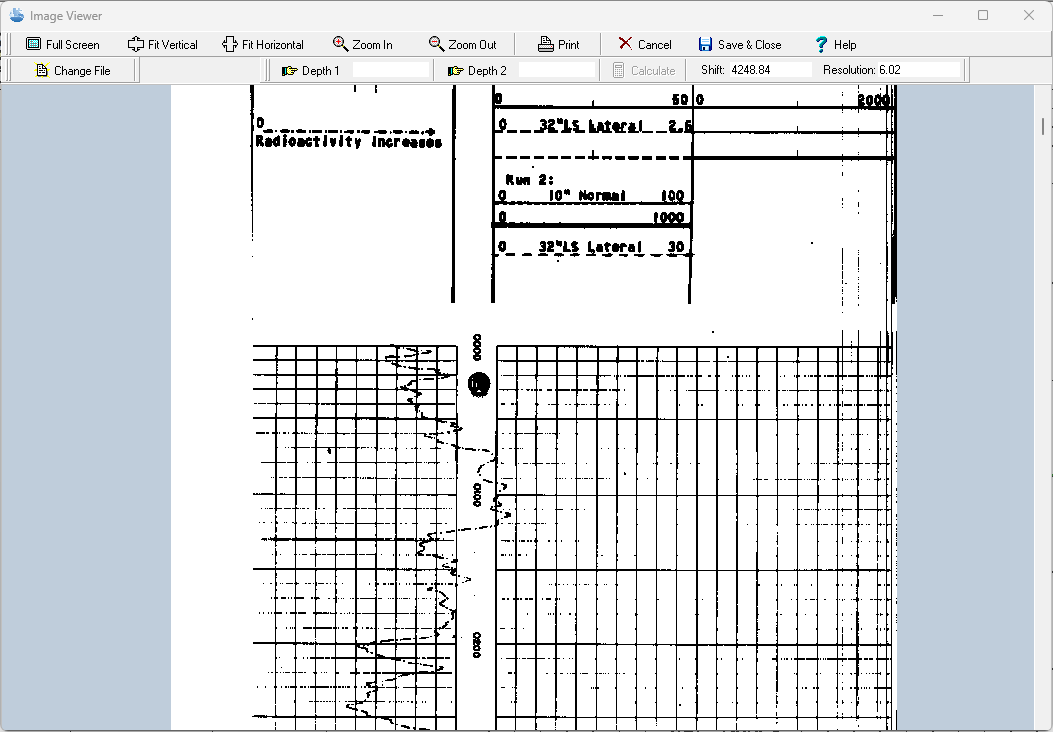
The TIFF image can be zoomed in and out using the buttons at the top of the form or by using the left (zoom-in) and right (zoom-out) mouse buttons. The wheel on the mouse can be used to scroll the image up and down. In addition, the image can be printed or the image file changed.
Depth Registration
The primary purpose of this display is to depth register the image so that depths on the image will correspond with depths on the log. To do this two depths are required to be entered on the image. Enter the first depth by clicking the Depth 1 button. Then scroll to the first depth of the image and click on it, then enter the depth. The second depth is entered the same was as the first. It is recommended that the first depth is near the top of the image and the second near the bottom of the image.
After the two depths have been entered, click on the Calculate button to calculate the Shift and Resolution for the image. The Shift is the number of pixels in the image between the top of the image and zero depth. The Resolution is the number of pixels per depth unit (feet or meters). Using the Shift and Resolution the image can be adjusted so that the depths correspond to the log depths when displayed in the log.
To fine tune the registration, the Shift and Resolution can also be entered manually.