|
<< Click to Display Table of Contents >> Export Serial Number |
  
|
|
<< Click to Display Table of Contents >> Export Serial Number |
|
Another way to license and unlock a module is to export the serial number to a file and email the file to GAEA. We will then send you back an unlock code file that can be imported. To export the serial number select the module and click on the Export button at the top of the License Manager form.
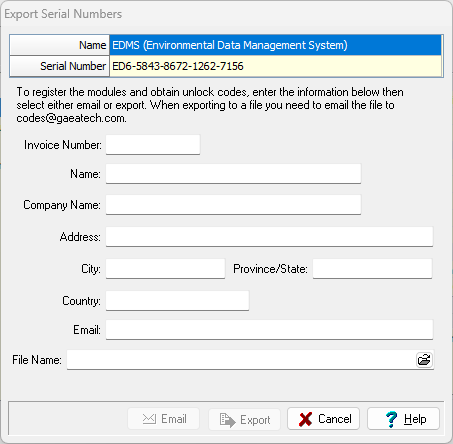
This form displays the unique serial number for the module that is based on the specific computer hardware that it is installed on. The invoice number, contact information, email address, and file name must be specified. After this information is specified it can be emailed to GAEA or a file exported that can be emailed to sales@gaeatech.com.
After GAEA receives your email we will process your request and send you back a registration file that can be imported as described in the section below.