|
<< Click to Display Table of Contents >> Datasources |
  
|
|
<< Click to Display Table of Contents >> Datasources |
|
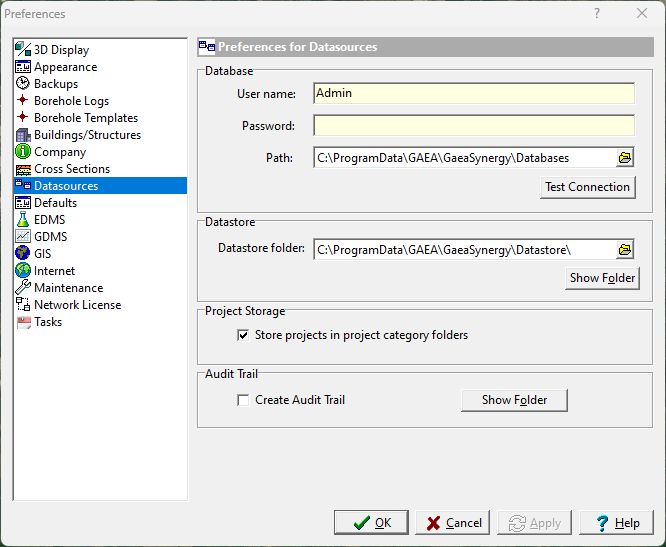
The following can be edited in the Datasources category (these features should not be changed without consulting your database administrator):
User name: This is the user name for the main database and can not be changed.
Password: This is the password for the main database and can not be changed.
Path: This is the path to the main database.
Test Connection: Click this button to test if the main database exists.
Datastore folder: This is the folder containing the datastore.
Show Folder: Click this button to show the datastore folder.
Project Storage: Check this to store project databases in the project folders specified for the project category. This can be used to store groups of projects in different folders, drives, computers, or networks.
Create Audit Trail: Check this box to create an audit trail of all database transactions.
Clear Audit File: Click this button to clear the audit file.