|
<< Click to Display Table of Contents >> Borehole Templates |
  
|
|
<< Click to Display Table of Contents >> Borehole Templates |
|
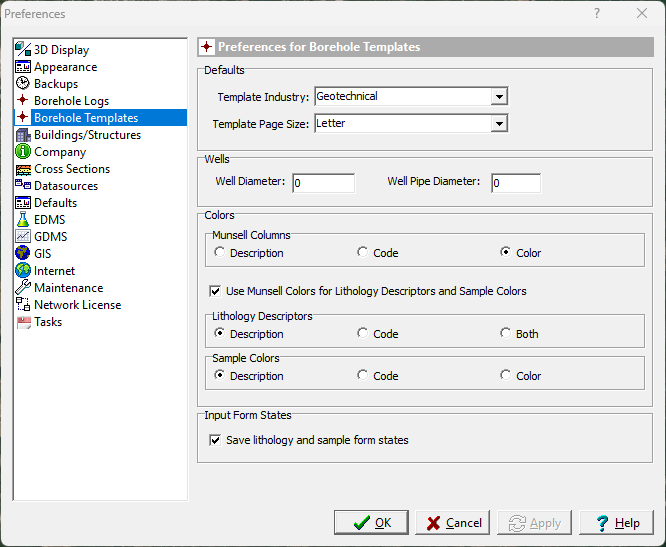
The following can be edited in the Logs category:
Defaults
Template Industry: This is used to specify the default industry to use when selecting a template.
Template Page Size: This is used to specify the default page size to use when selecting a template.
Wells
Well Diameter: This is the default well diameter to use when adding wells to logs.
Well Pipe Diameter: This is the default pipe diameter to be used when adding pipes and screens to well columns.
Colors
Munsell Column: This is used to select what is displayed in Munsell Code columns. It can either be the description, Munsell Code, or a color box.
Use Munsell Colors: Check this to use Munsell colors in Lithology and Sample Color columns.
Lithology Descriptors: This is used to select what is displayed for the Munsell color in lithology columns. It can be either the description, Munsell Code, or both.
Sample Colors: This is used to select what is displayed in Sample Color columns. It can be either the description, Munsell Code, or a color box.
Input Form States
Save lithology and sample form states: Check this box to save the size and location of the lithology and sample data forms. If the forms are not showing up on the screen they may be hidden or moved off the screen,, unchecking this box will restore them to their default position and size.