|
<< Click to Display Table of Contents >> Bing Street View |
  
|
|
<< Click to Display Table of Contents >> Bing Street View |
|
The street view form for Bing is shown. The Bing street view is 350 x 350 pixels.
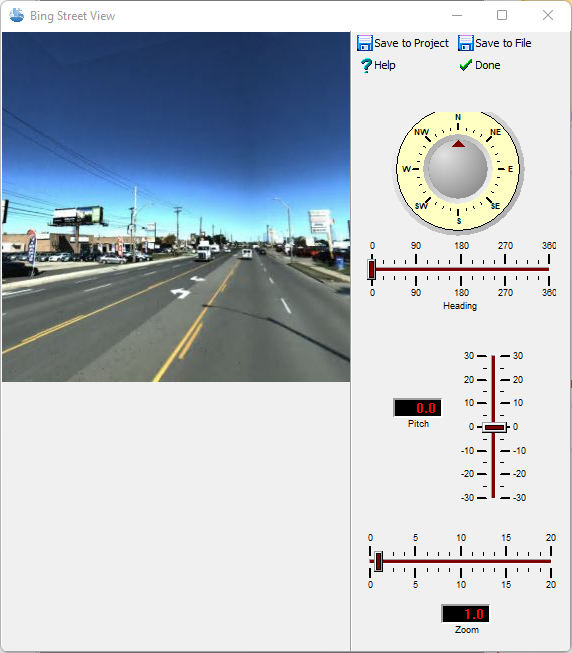
The following can be specified on this form:
Heading: This is the heading from North of the image. When the heading is changed the image will be refreshed.
Pitch: This is the vertical pitch on the image. Positive values are up and negative values are down. When the pitch is changed the image will be refreshed.
Zoom: This is the zoom of the image. When the zoom is changed the image will be refreshed.
Save to Project: This is used to save the image in the project. This option is only available when a project is opened. When this button is clicked on the name of the Document (Image) and Version can be specified.The images in a project can be later used in project views.
Save to File: This is used to save the image to a JPEG file. When this button is clicked the file name can be specified.